What a CRM Dashboard Redesign Fixes
A real estate CRM dashboard case study covering pipeline visibility, reporting flow, task clarity, and interface cleanup.
Last updated: June 16, 2026
A CRM dashboard redesign is not just a visual refresh. In a real estate workflow, the interface has to make active pipeline, follow-up priority, reporting, and client context easier to understand under daily pressure.
The real problem was pipeline visibility
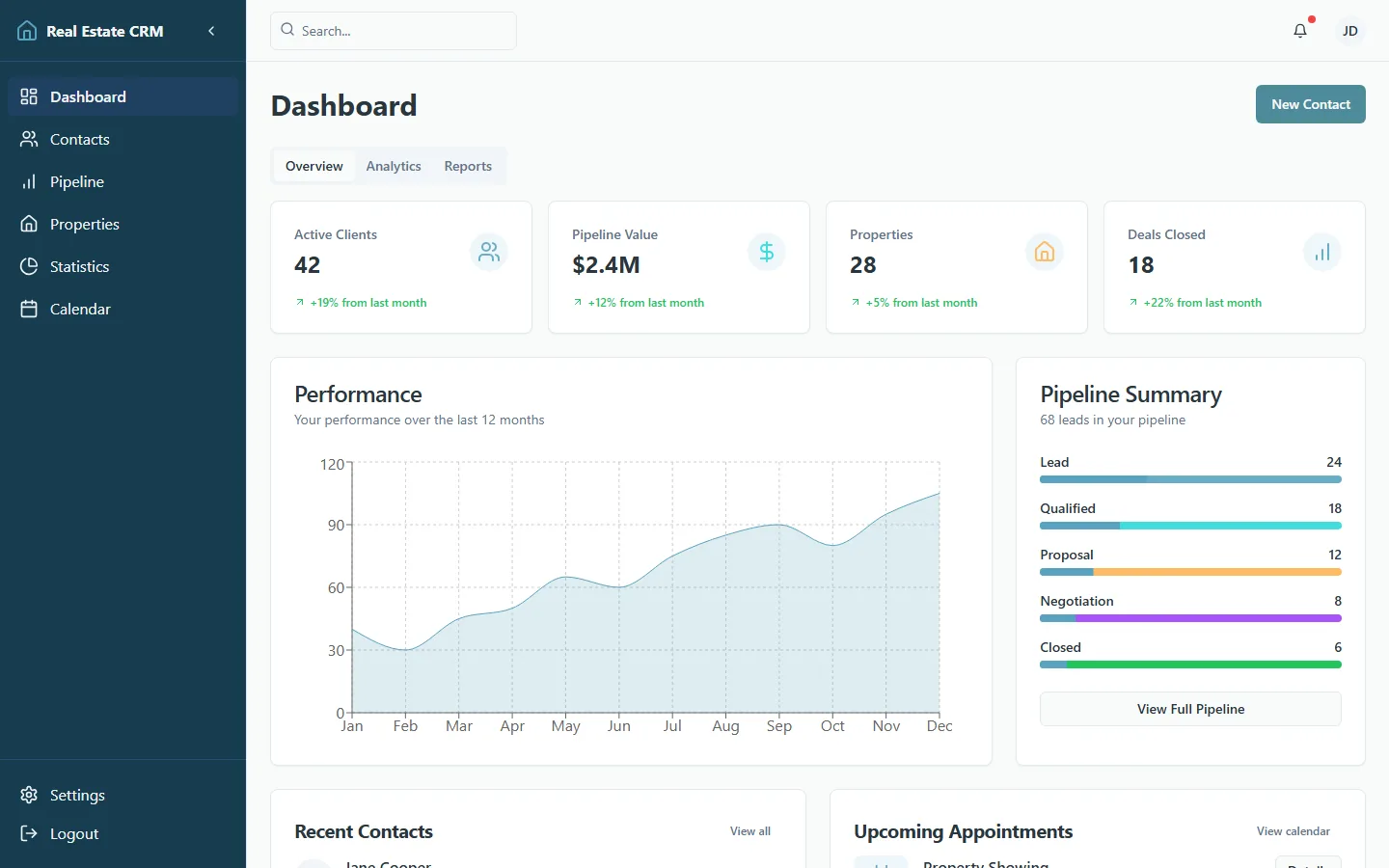
The Real Estate CRM project needed a clearer way to understand deal movement. When a dashboard hides the next action, users stop trusting it and start managing work in side notes, spreadsheets, or memory.
The redesign therefore centered the pipeline: active leads, client state, appointment context, and revenue indicators needed to be visible without making the screen feel overloaded.
Reporting needed a cleaner path
Reporting screens often fail because they answer every question equally. In this CRM, the useful move was to separate status scanning from deeper analysis. Users needed a quick read first, then detail when they asked for it.
That meant clearer grouping, stronger labels, and a tighter relationship between summary cards and the tables or charts underneath them.
UX changes that actually mattered
The practical UX work was deliberately ordinary: make filters easier to scan, keep action areas consistent, improve the hierarchy of lead cards, reduce visual competition between metrics, and make empty or low-data states feel intentional.
Those changes matter because CRM users repeat the same tasks many times. Small friction in a repeated workflow becomes a large operational cost.
What I would measure after launch
The strongest post-launch metrics would be time to locate an active lead, missed follow-up rate, report usage, and completion of core pipeline actions. Those numbers would prove whether the redesign improved daily work, not just presentation.
For teams facing similar dashboard friction, the best next step is usually a dashboard and portal interface review before a full rebuild.
Internal resources
Helpful next clicks for readers and search engines
These internal links keep the topic cluster tighter and move readers toward the next article, service, or conversion path that fits their intent.
Service
Dashboard and portal interface development
Use dashboard-focused frontend support when your CRM, admin panel, or internal tool spreads one task across three screens.
Open resourceService
UI/UX design services for conversion-focused products
A documented type scale, page structure decided by task, and interaction states written for implementation.
Open resourceNext step
Talk through your project goals
Use the contact page when you want help applying these ideas to an active product, migration, or redesign.
Open resourceCommon questions
Questions readers also ask
This section targets the follow-up questions people search after reading the main article and gives the page more long-tail topical coverage.
What should a CRM dashboard show first?
A CRM dashboard should show the highest-priority pipeline state first: active deals, overdue follow-ups, next actions, and revenue context.
Why do CRM dashboards need UX cleanup?
CRM dashboards need UX cleanup because repeated workflows become expensive when filters, reports, lead cards, and actions are hard to scan.